
What’s New in Blackboard LMS – March 2026
The March 2026 production release (4000.10) for Blackboard LMS is stacked with enhancements for all users. Hot off the heels of the February roadmap, we’ve added a host of new capabilities that make learning more exciting, engaging, and effective.
Here we touch briefly on five of these additions, spanning three themes that save instructors time and enrich the learning experience for students: content creation, communication, and grading.
Content Creation
Furthering our commitment to AI-powered instruction, we’ve added AI suggestions for knowledge checks to Blackboard LMS documents. Using the existing workflow for adding a knowledge check, faculty will now be presented with the option to either design it themselves or auto-generate. Should they select the latter, they retain full control to edit and accept all AI suggestions—just as they do when using the Blackboard LMS: AI Design Assistant for course and assessment creation.
Image 1: Instructors can select Enter my question or Auto-generate question when creating a knowledge check.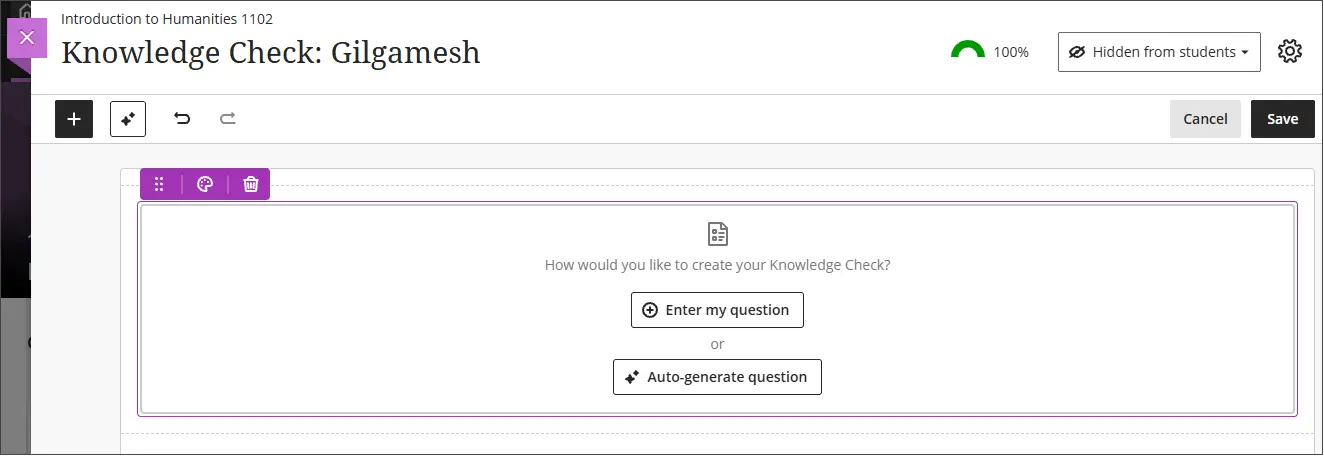
Image 2: After the system generates questions, the instructor selects which question to add to the Document. After adding a question, instructors can edit the question, question options, and question settings.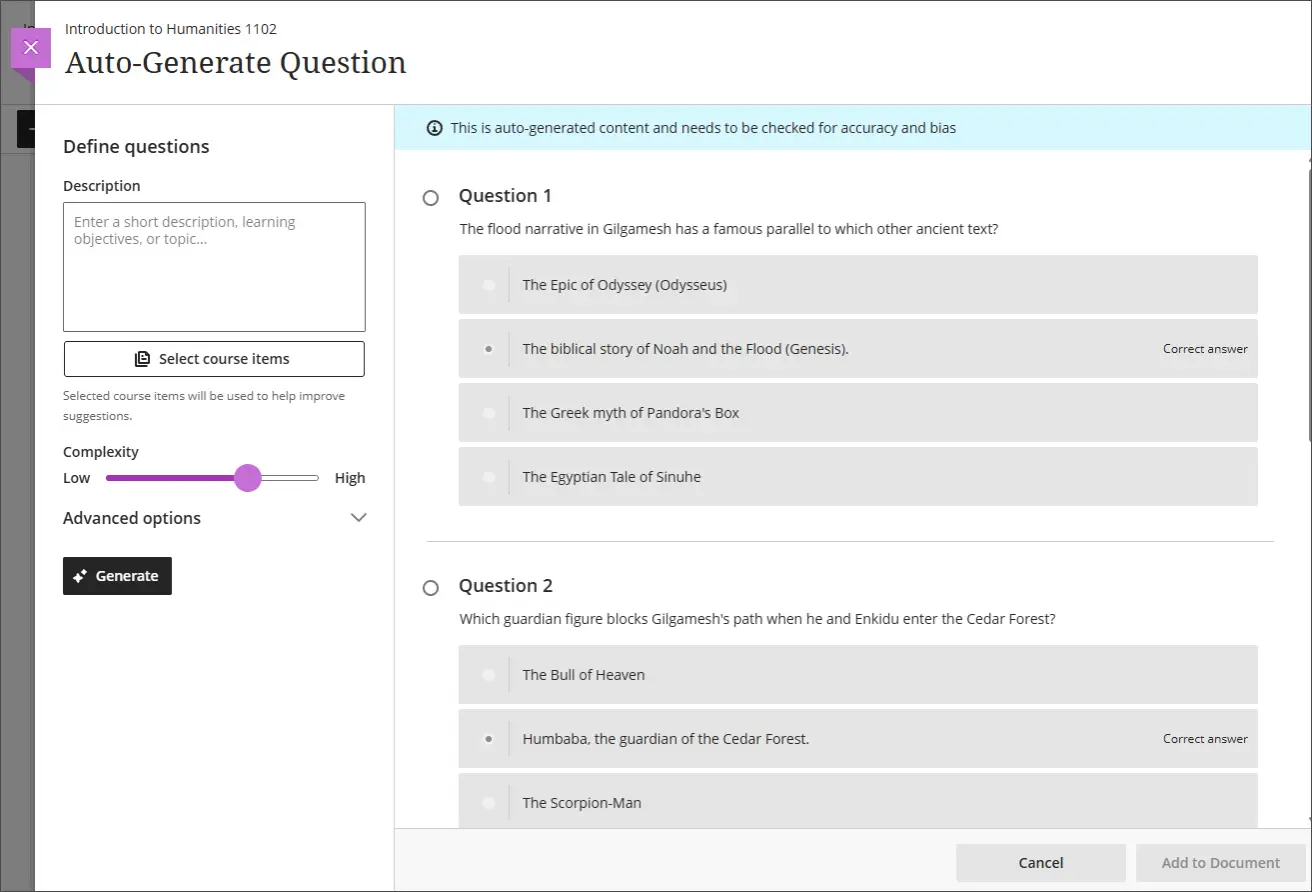
As with all Blackboard LMS AI features, this can be enabled at the institution’s discretion. Admins must turn on the new toggle AI Design Assistant and Unsplash to be able to switch Generate Knowledge Checks on.
Communication
We’ve added two great capabilities that help students communicate and collaborate with both their instructors and their peers.
First is an enhanced threading experience in course messages. With this update, the system will recognize existing conversations between users and add new messages to the current thread where appropriate. For instance, if a student messages their instructor about an assignment, having inquired the previous week about a test, this will now appear for both as a continuation of the current conversation—simplifying the messaging experience and reducing clutter. Review the release notes for full details on how this applies to group conversations and other messaging variables.
Image 3: The Messages feature now attributes a new message to an existing conversation between participants.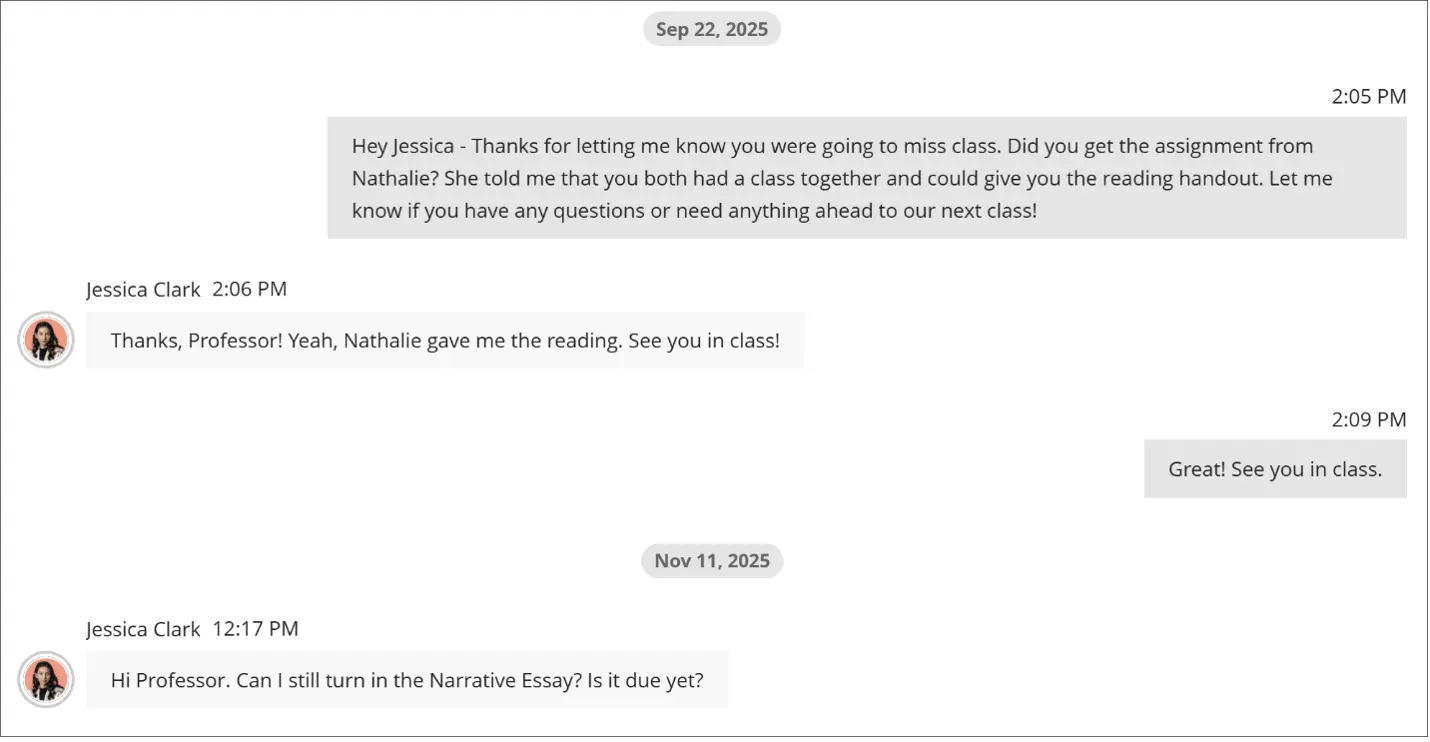
Also enhanced in the March release are discussion participation requirements. When creating a graded discussion, instructors can now add two distinct due dates, with unique requirements for each. This makes discussion tasks more engaging, by offering instructors the opportunity to set multiple contributions for their students, requiring them to participate on an ongoing basis rather than with just a single response. Instructors can also close responses at the final due date if they wish.
Grading
Finally, we’re pleased to present two new developments that simplify grading tasks and promote fairness in student evaluation.
Anonymous grading in the Flexible Grading interface now covers both the “By Student” and “By Question” views. When using this functionality, the system replaces the student’s name, avatar, and ID with anonymous identifiers, allowing the instructor to focus exclusively on the work submitted and not who submitted it. All other functionality within Flexible Grading remains the same when grading anonymously.
Image 4: Instructors can grade anonymously by question.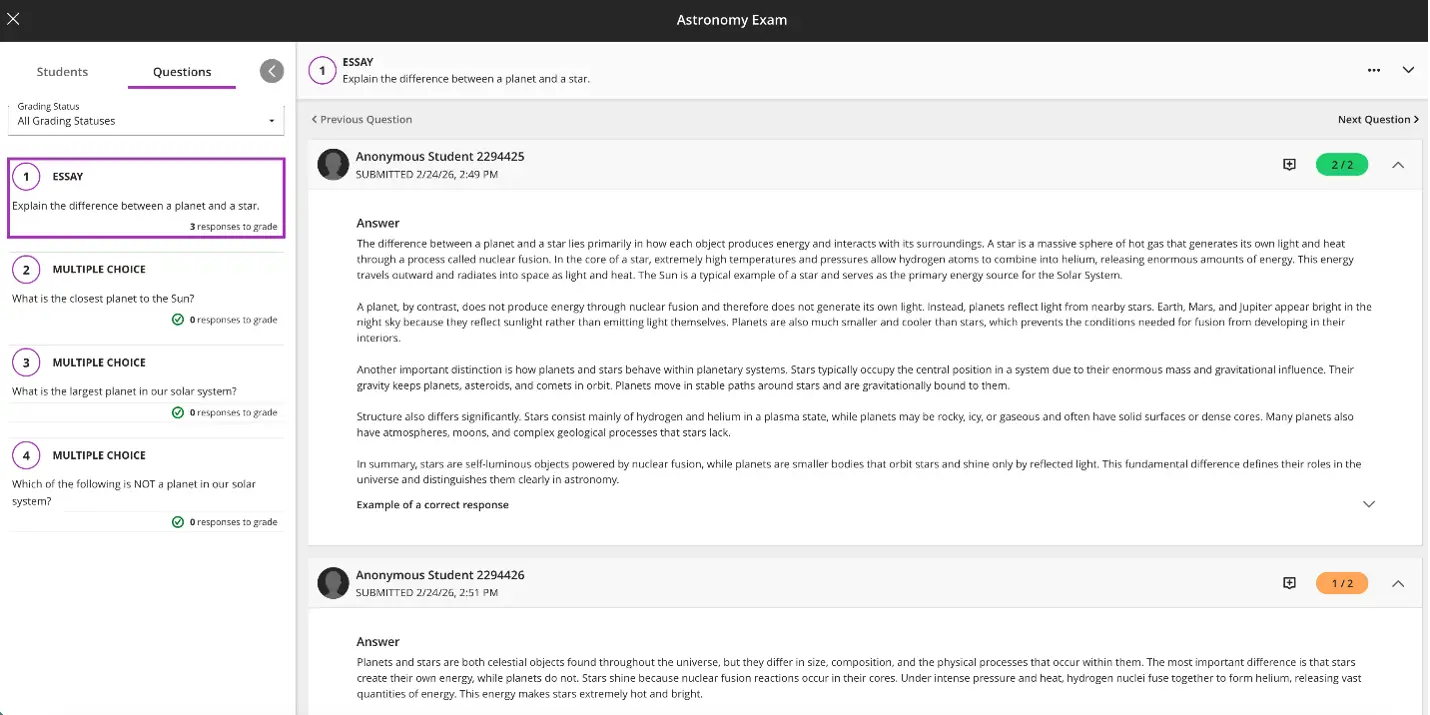
This is supported by the addition of metadata to SafeAssign Originality Reports, which goes beyond text matching to also provide instructors with contextual insights in the new Document Properties section of the report, including the document author, creation and modification dates, and the document revision count. This offers instructors with a more comprehensive view of the authenticity of student submissions, complementing anonymous grading to provide a transparent and fair evaluation process for all users.
Also on the topic of academic integrity, in the last month we’ve published a detailed stance on the threat of AI Agents to the Community. This outlines a collaborative, sector-wide approach, combining both technological and pedagogical strategies to provide institutions and instructors with increased visibility on agent use. Check it out and participate in the discussion—we’ve heard from many that it is providing value in academic leadership conversations.
Visit the Help site today for full details on the March production release and the test release for April. To get right under the hood for what’s coming up for Blackboard LMS, be sure to register for our flagship user conference, Building Blackboard Together, taking place in Dallas this July!